 Live Beta — free to use during beta. Paid tiers are marked "Free during beta" until monetization launches.
Live Beta — free to use during beta. Paid tiers are marked "Free during beta" until monetization launches.
Live Beta — free to use during beta. Paid tiers are marked "Free during beta" until monetization launches.
Everything AI Cockpit can do — in one place.
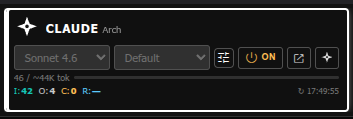
Cards 1–3 are configurable slots (⚙ Configure supplier slots) — pick which provider fills each, not fixed to one vendor. On Dual mode, the app detects your real GPU/VRAM at install time (AMD and NVIDIA) to decide how much can safely load at once.

200ms polling, file-queue architecture. No WebSocket server, no persistent process. Survives Apache restarts. Works on standard shared Apache + PHP hosting.
All three agents propose plans independently. A synthesizer merges the votes. Execute step by step, with skip and edit per step. Four auto-run modes.

Agents write structured markers in their output.
%%CREATE%% writes files, %%WORKER:%%
calls cloud APIs, %%TOOL:%% runs local binaries,
%%PROPOSE:%% creates review proposals.
Place a COCKPIT.md file in any project folder.
Its contents are automatically prepended to every agent call —
no more repeating conventions and file locations every session.
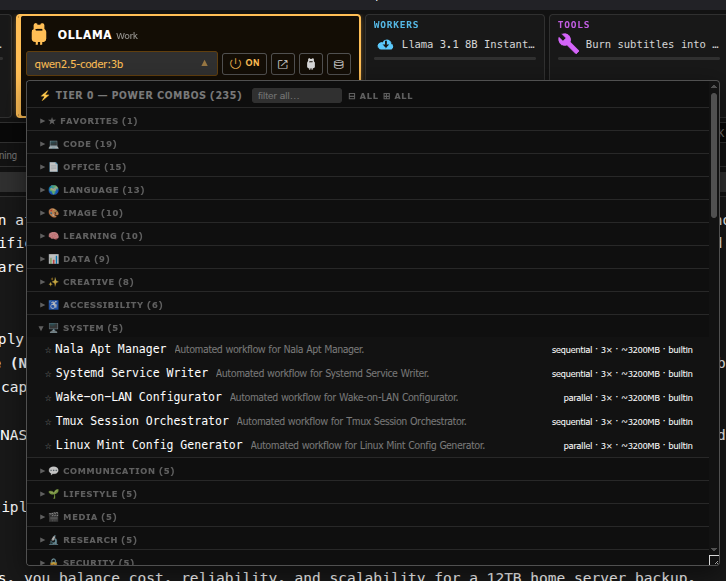
Multi-model recipes that run several local models against one prompt automatically — no manual copy-pasting between models. Works with Ollama, LocalAI, or both at once (Dual mode runs steps on each server genuinely in parallel). 150 combos ship free with every install (50 per backend — Ollama, LocalAI, Dual); 555 more are available as a curated Content-tier perk (185 per backend) — 705 total across 8 categories. Browse the full catalog →
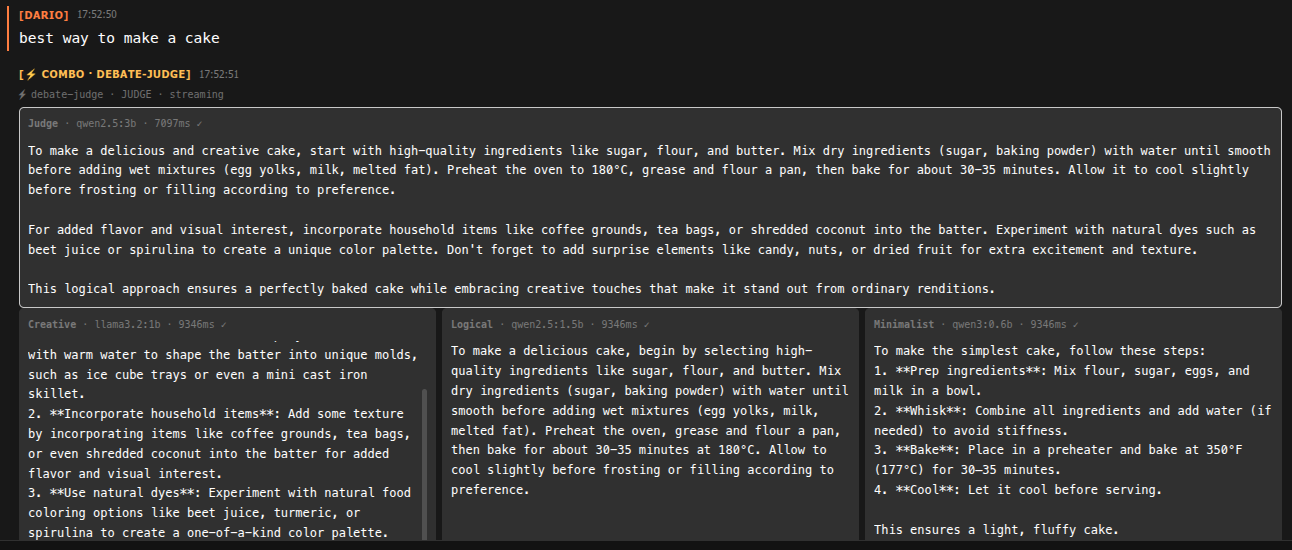
Several small models answer the same prompt independently — good for comparing takes or brainstorming, fast since they run concurrently.
Output of one model feeds the next as a pipeline — draft → critique → refine, all in one click.
Several candidates get generated, then a synthesizer model picks or merges the best answer. Optional shared-premise seeding keeps parallel creative combos on the same idea instead of diverging randomly.
Tier-0 groups are collapsible by category, favorite-starred, filterable by keyword. Curated premium packs (coding, office, language, image, learning, data, creative, accessibility) are a Marketplace Content-tier perk — see the Power Combo Store.
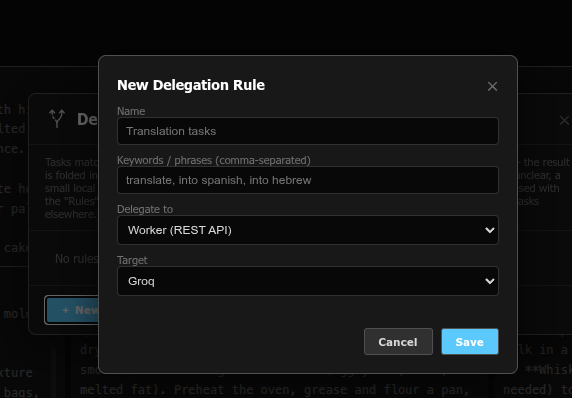
Define rules that match keywords or phrases in your prompt and automatically hand that task to a specific worker, combo, or Ollama model — regardless of which mode (Single, Pipeline, Broadcast, Plan) is currently active.
Keyword match first (instant, free). Ambiguous cases fall back to a small local classifier model. Still unclear? Cockpit asks you — it never silently guesses on a rule that doesn't clearly apply.
The delegated result is spliced back into your conversation and the original agent continues — you see exactly what got delegated and what came back, nothing happens invisibly.
Switch prompt modes instantly: Chat (conversational), Plan, Research, Build, Debug, Analyze, Report (HTML output). Style saved per chat, persists across reloads.
Shell-style ↑/↓ navigation through your last 50 prompts, per chat. Live draft preserved when navigating. Only triggers on the first/last line — multi-line editing works normally.
Agents propose code snippets using %%PROPOSE:snippet%%.
Review each proposal, approve to global library or current project,
or reject. Tolerates small model syntax variations.
One-click session summary: asks the active agent to produce a structured HTML summary of the conversation, saved to the chat's context folder for future reference.
On-demand translation of selected agent output text using local LibreTranslate. English, Spanish, Hebrew. No automatic UI translation — you translate specific text when you need it.
Export any chat as a ZIP (JSON + markdown transcript + manifest). Import from ZIP with automatic name conflict resolution.
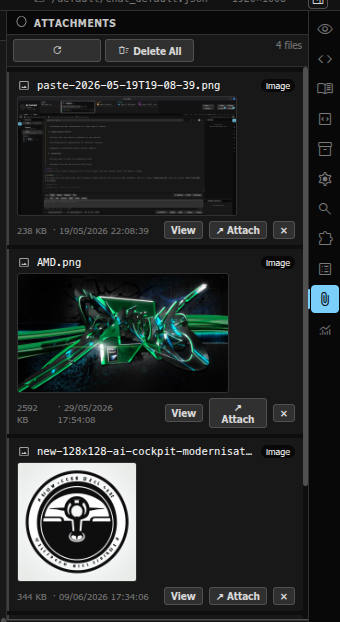
Paste an image from clipboard directly into the prompt textarea. It is automatically uploaded and routed through the same vision pipeline as file attachments.
Attachments saved to chat_<name>_contexts/
in the project folder. Cleaned up when the chat is deleted.
Viewable from the Attachments panel in the right sidebar.
Instant offline search over your local snippets, knowledge, and library items. Top 3 results offered as Pending Proposals — never silently injected (that wastes tokens).
Optional "Deep Search" button uses nomic-embed-text
via Ollama to find conceptually similar items even when keywords
don't match. Costs one Ollama call per search.
Feed any PDF, DOCX, EPUB, HTML, TXT, or CHM file. Extracts code snippets and knowledge items as structured JSON for RAG retrieval. Schedule overnight to avoid blocking the UI.
A dedicated left-panel Notes tab, separate from Library/Snippets — its own searchable store, optionally cross-linked into the same RAG context scope so notes and code snippets surface together.
Point Notepad at any local folder on your machine and it becomes a second, independent notes store — for people who already keep notes the OpenNote way and don't want a walled-garden format.
Groq, OpenRouter, HuggingFace, Together AI, DeepInfra. API keys encrypted at rest (AES-256-GCM, machine-bound). Per-provider rate-limit tracking with daily quota bars.
ffmpeg (9 presets), whisper.cpp (7 presets), pandoc (8 presets).
Run from within Cockpit or triggered automatically by agents
via %%TOOL:%% markers. Output inlined or path-referenced.
Brave Search API primary, DuckDuckGo fallback chain. Results shown in the Search panel and optionally injected as context into the next prompt.
One row of always-available tool buttons, independent of which agent or mode you're using:
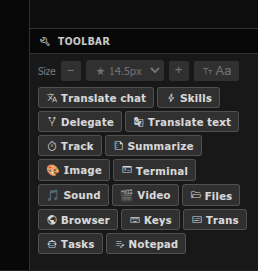
Translate the whole conversation or a selected snippet on demand, via local LibreTranslate — no automatic UI translation, only what you ask for.
Reusable prompt/instruction bundles an agent can load mid-conversation via a marker, instead of you re-typing the same context every time.
Opens the task auto-routing rule manager — see above.
Pin a running thread of decisions/TODOs alongside the chat, so long sessions don't lose the thread.
One click, structured HTML summary of the current session, saved for later reference.
Direct access to local media-generation and processing tools without leaving the chat.
A real terminal panel into your own machine — same server the agents run on, for when you want to do something yourself.
Files: a project-scoped file browser/picker. Browser: an embedded web view for quick lookups without tabbing away.
Manage your own cloud-provider API keys, encrypted at rest, machine-bound — never sent anywhere but the provider you're calling.
A lightweight task list panel, separate from chat history, for tracking what still needs doing across a project.
See RAG & Knowledge Base above — folder-backed notes independent of the internal Notes store.
14 dark + 13 light + 9 mixed (dark chrome + light console). Includes Dracula, Nord, Monokai, One Dark, Gruvbox, Tokyo Night, Solarized, Catppuccin, and more.
Designed for red-green color deficiency. Uses blue, yellow, cyan, and orange exclusively — never red or green as the sole distinguishing factor. Auto-contrast safety net ensures readability on every theme.
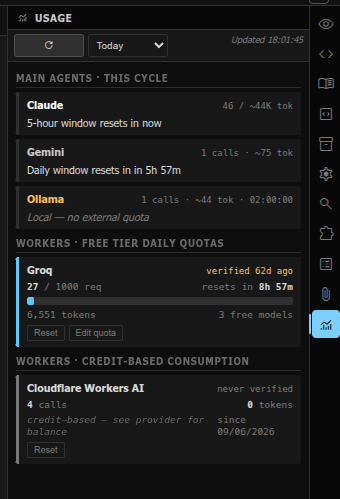
Every supplier card's token counts (Cards 1–3 plus Workers) read directly from their log files. Per-day / week / month / all-time ranges. Daily quota bars for cloud providers.
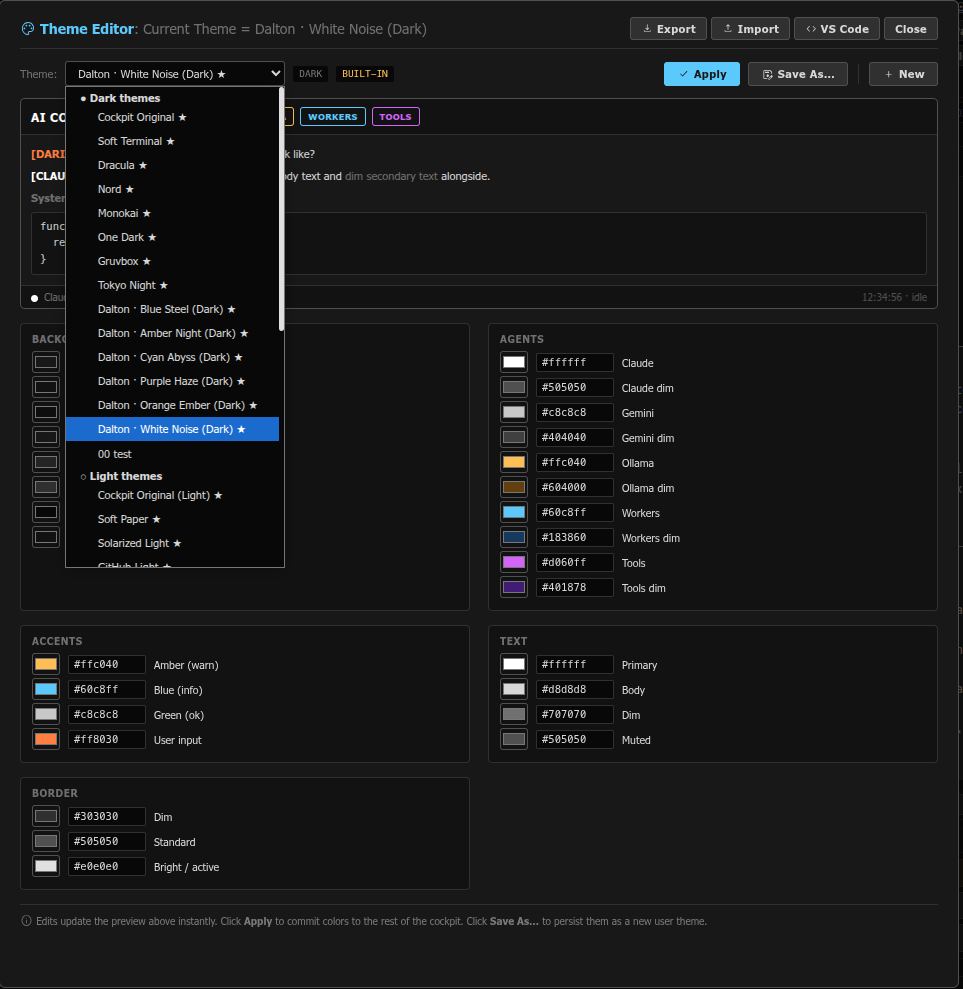
Not just a picker — a full theme editor. Every color is a swatch you can override, save as your own theme, and export/import as JSON.
No monthly fees. No data leaving your machine. Apache + PHP + Bash.
Download Free